Why Dictation Keeps Getting Names and Technical Terms Wrong (and the Fix)
Speech models are trained on general speech, so your colleague's name and your product's jargon lose to common words every time. The fix is a personal dictionary that learns from corrections, not speaking slower.
 Abhilash KasliwalFounder, VibeType7 min read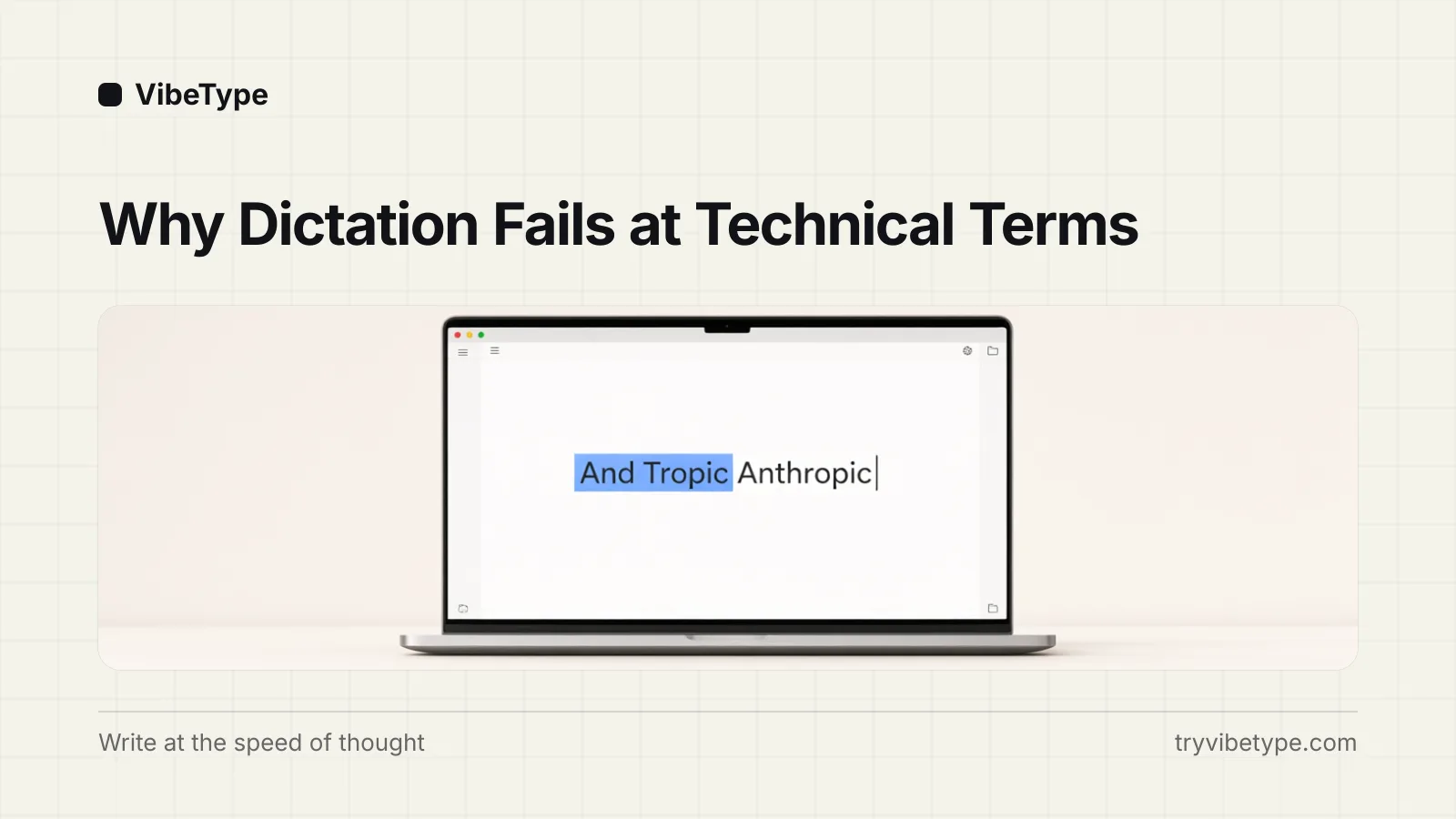
Dictation gets names and technical terms wrong because speech models are trained on vast amounts of general speech, and against that training data uncommon nouns like names of people and brands are statistically improbable - so the model substitutes the closest common phrase it knows. That is how "Anthropic" becomes "And Tropic", "VibeType" becomes "Wipe type". The fix is a personal dictionary that learns your corrections permanently, combined with AI cleanup for the fillers around them; speaking more slowly does not help, because the problem is not your audio.
When I was testing local models while building VibeType, my own product's name was the first word I had to teach it. That experience shaped most of what follows.
Why the model prefers the wrong word
Speech recognition is prediction. The model hears audio and outputs the word sequence it considers most probable, weighted by everything it saw in training. "And tropic" style phrases appear in general English far more often than "Anthropic", so when the audio is even slightly ambiguous, and real-world audio always is, the common phrase wins.
This is why the standard advice to enunciate harder mostly fails. You can push the audio toward clarity, but you cannot push "Kubernetes", your surname, or your client's brand into the model's training data. The words you care most about are precisely the words the model has seen least. Any durable fix has to change what the model expects, not how you speak.
The three classes of dictation error
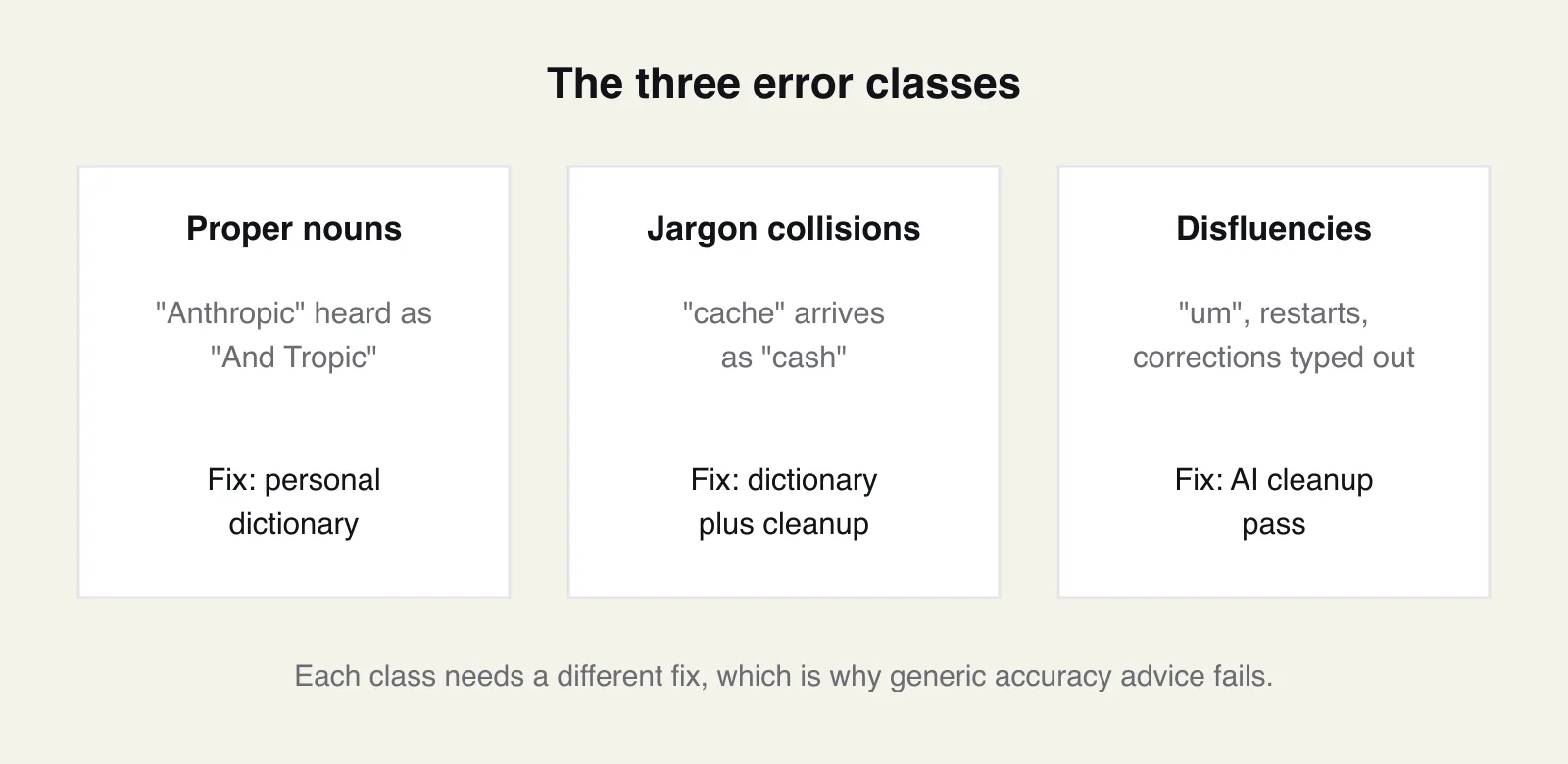
There are three distinct failure classes, and each has a different fix.
Proper nouns: Names of people, products, and companies. The model has no reason to know them, so it substitutes. Fix: a personal dictionary.
Jargon and homophone collisions: Words that sound like more common words - "cache" arriving as "cash", where the model resolves ambiguity toward the everyday spelling. Fix: dictionary plus context-aware cleanup.
Filler words: Your "um"s, restarts, and self-corrections. These are not recognition errors at all - the model transcribed you perfectly, and that is the problem. Fix: an AI cleanup pass that types what you meant.
A commenter in the Whispering launch thread on Hacker News put the third class well: models "can't properly filter out the pauses, 'uuuuhmms'", let alone handle corrections you make mid-sentence. Transcription quality and output quality are different targets, and only the second one is what you experience.
Why punctuation-by-voice died
Older dictation systems made you speak punctuation - "comma", "new paragraph", "full stop" - because they were pure transcribers with no model of what you meant. Modern dictation runs a language model over the transcript, and structure is inferred from meaning: pauses and phrasing become sentences, "one… two… three" becomes a formatted list, a spoken aside becomes a parenthetical.
The interesting mechanism is that this same pass handles self-correction. Say "Thursday. No, actually Friday" into VibeType and the inserted text reads "Friday morning" - the model recognised the second statement as a correction of the first and applied it. You compose the way you talk, and the cleanup resolves it. This is also what makes the difference between apps visible: two tools using the same underlying speech model can produce very different final text depending on what happens after transcription.
What "learns your words" means mechanically
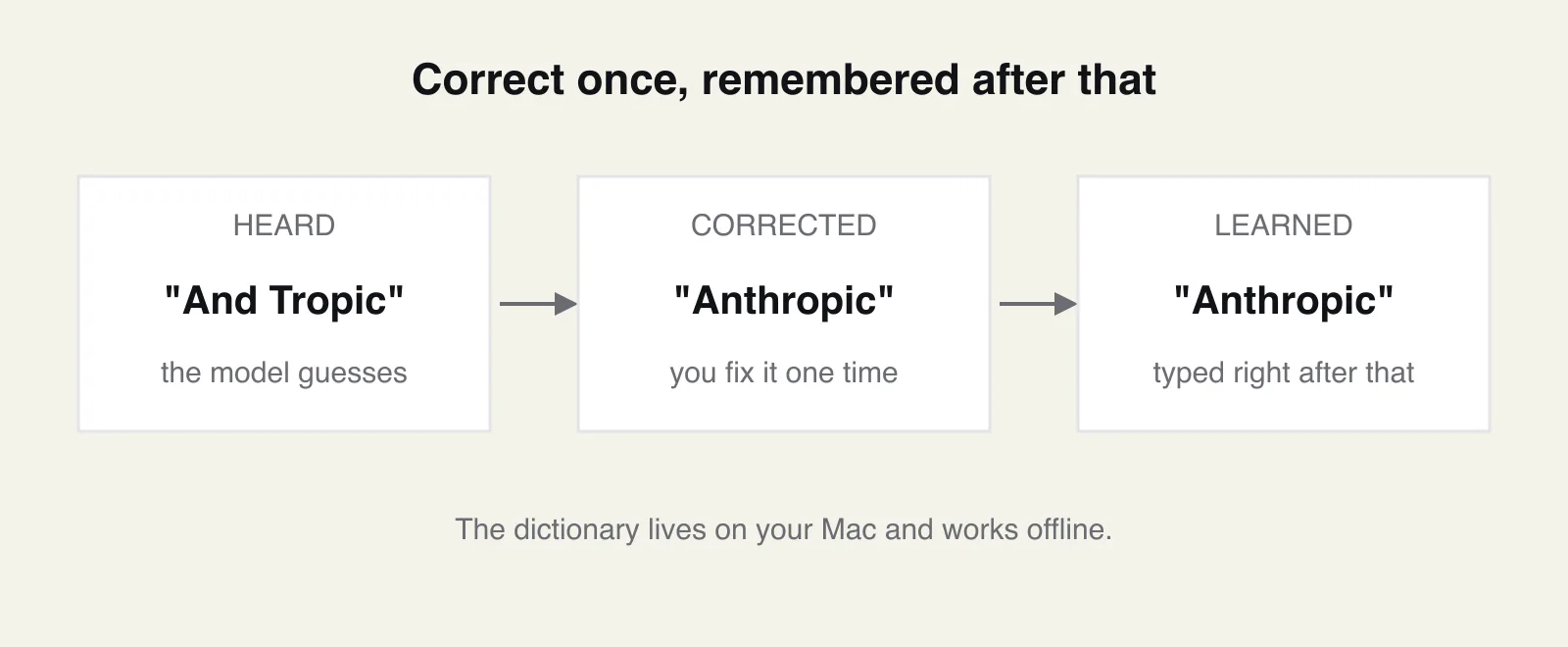
The personal dictionary is the unglamorous feature that decides whether dictation survives contact with your job. The loop is short: the app mishears a term, you correct it once, and the correction is stored and applied from then on. Heard, corrected, learned. In VibeType this dictionary lives on your Mac and works offline, for the reasons covered in local vs cloud dictation.
A practical way to front-load the benefit: spend the first day seeding deliberately. Dictate a paragraph containing your name, your company, your main product terms, and the five colleagues you write to most, then correct whatever comes out wrong. Ten minutes of corrections converts the dictionary from a promise into coverage of the words you use every day, and it is the highest-leverage thing you can do in week one with any tool that learns.
To be fair to the competition: cloud tools can learn vocabulary too, and some do it well - the difference is that you are training a profile on their servers rather than a file on your machine. What matters most is that the loop exists at all. A tool without correct-once learning makes you re-fix the same word forever, and that repeated small failure, more than any headline accuracy number, is what makes people conclude dictation is not for technical work. The Hacker News threads about dictation are full of one specific version of this: getting correctly spelled names into email replies.
The free 20 percent
Before blaming any model, three cheap physical wins. Keep the microphone at a consistent distance - a laptop's built-in mic works, but not from across the room. Reduce background noise where you can; a quieter room helps more than a better model. And speak at your natural pace: slowing down distorts the rhythm the model was trained on and usually makes recognition worse, which surprises everyone the first time they see it. The mechanism is coarticulation - models learn words as they sound in flowing speech, where sounds blend into their neighbours, and exaggerated word-by-word delivery strips out exactly the cues the model expects.
Spoken structure is also worth learning. "New line" and "new paragraph" are honoured by most modern tools, and speaking a list as "one… two… three" lets the cleanup pass format it properly.
When the wrong output is not the model
One diagnostic habit saves a lot of misplaced frustration: check the transcript history. If the transcript is right but the text in your app is wrong or missing, the recognition was fine and the insertion path failed - usually the wrong app had focus, a clipboard manager interfered, or an Accessibility permission was never granted. That class of failure needs a settings fix, not a better model, and no amount of vocabulary training will touch it.
The overall pattern I keep coming back to: people judge dictation in week one, when every name is still wrong, and quit before the correction loop compounds. The dictionary is boring, incremental, and by week four it is the reason the tool feels trustworthy. If you abandoned dictation over names and jargon in the past, that specific problem is the one that has changed most. Run the seeding drill above during any free trial - VibeType's is 30 days with no card - and judge the tool on day ten, after the dictionary has learnt your words.
Frequently asked questions
How do I teach dictation software a name?
In an app with a personal dictionary, you correct the misheard word once and the correction is stored and applied from then on - in VibeType, fixing "And Tropic" to "Anthropic" one time is enough. In tools without that loop, including Apple Dictation for the most part, you are limited to workarounds like adding contacts or text replacements, and the same misrecognition tends to return.
Do I have to say punctuation out loud?
Not in modern AI dictation apps, which infer sentences, commas, and paragraph breaks from your phrasing and pauses. Commands like "new line" still work when you want explicit control. Older transcription-only tools, and Apple Dictation in most cases, still expect spoken punctuation for clean results.
Does correcting a word once really fix it permanently?
In an app with correct-once learning, yes - the term enters your personal dictionary and is applied to future dictations, with occasional collisions when two of your terms sound alike. The distinction worth checking before you buy: some tools only fix the current transcript, and the same error returns tomorrow. Correct a word, dictate it again the next day, and you will know which kind you have.
Does custom vocabulary work offline?
It does when the dictionary is stored and applied on your device, as in local-first apps - VibeType's dictionary works with Wi-Fi off because both the speech model and the dictionary live on your Mac. Cloud tools store your vocabulary server-side, so applying it requires a connection.
Why do some apps remove my "um"s and others type them out?
The speech model transcribes what you said, fillers included; whether they reach your screen depends on whether the app runs a cleanup pass afterwards. Transcription-only tools type the "um"s faithfully, while AI dictation apps remove fillers and apply your mid-sentence corrections before inserting the text. It is the single most visible difference between the two generations of dictation software.